



 Home
HomeHow to Create a Custom Calendar: A Step-by-Step Printing Guide
 Dec 24,2025

 SESE
SESE
How to Create a Custom Calendar: A Step-by-Step Printing Guide
1. Introduction: Why Choose Custom Calendar Printing?
Custom calendar printing is a fantastic way to keep your brand in front of your audience all year long, while also offering a personal touch for gifts or promotions. Whether you’re creating a corporate calendar for clients, a family calendar with special memories, or a calendar for a special event like a wedding, custom calendars allow you to personalize every detail. They combine practicality with creativity, turning a simple tool into an artwork or marketing asset.
Custom calendars also provide a great opportunity for branding. If you're a business, using a custom calendar to showcase your products, services, or company values ensures that your logo and message are present every day. Plus, the printing process allows for plenty of flexibility, so your calendar can be designed to reflect your specific needs and preferences.
2. Step 1: Define the Purpose of Your Custom Calendar
Before you begin designing your custom calendar, it's essential to define its purpose.
|
|
|
|
|
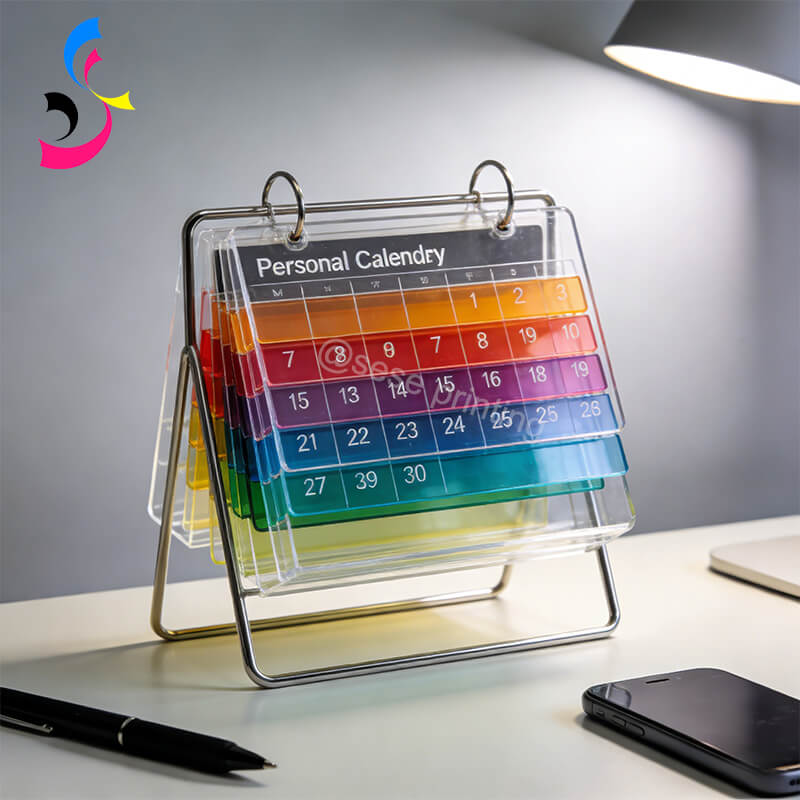
Personal Calendars |
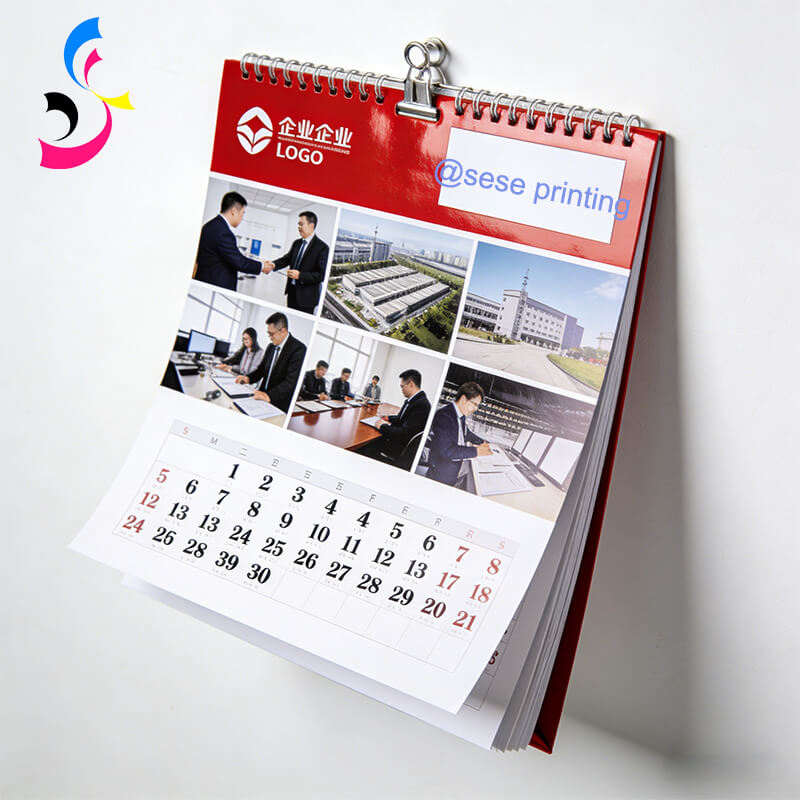
Corporate Calendars |
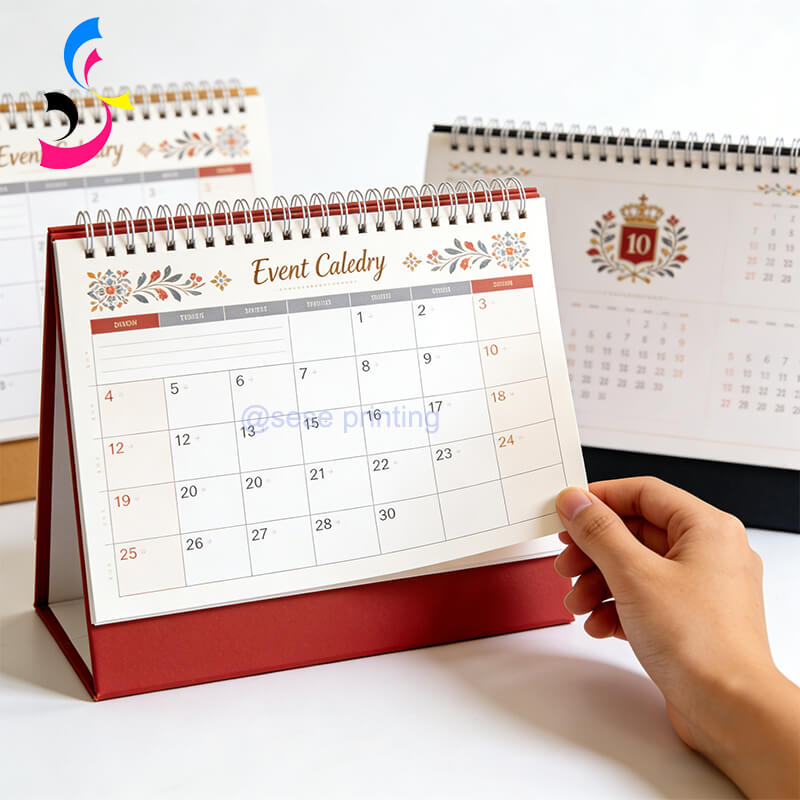
Event Calendars |
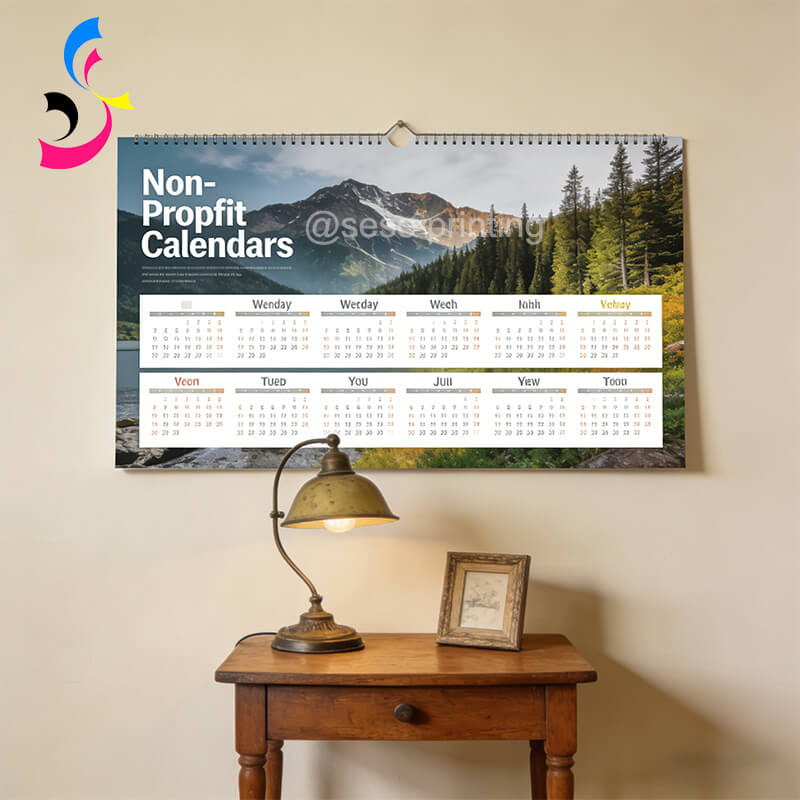
Non-Profit Calendars |
-
Personal Calendars: These could be for family, friends, or special events. Personalize the design with photos, important dates, and messages.
-
Corporate Calendars: Use your branding, logos, and product images to create a promotional tool for clients, employees, or partners. Include key company milestones, holidays, and events.
-
Event Calendars: Create a calendar specific to a particular event, such as weddings, holidays, or charity events. Add event-specific dates, quotes, or custom imagery.
-
Non-Profit Calendars: Create a fundraising calendar with a community theme, showcasing the work your organization does.
Defining the purpose of your calendar will guide your design choices and ensure that it meets your needs, whether for personal enjoyment or business promotion.
3. Step 2: Decide on Calendar Format and Size
Once you have a clear purpose, the next step is to decide on the format and size of your custom calendar. Some popular options include:
|
|
|
|
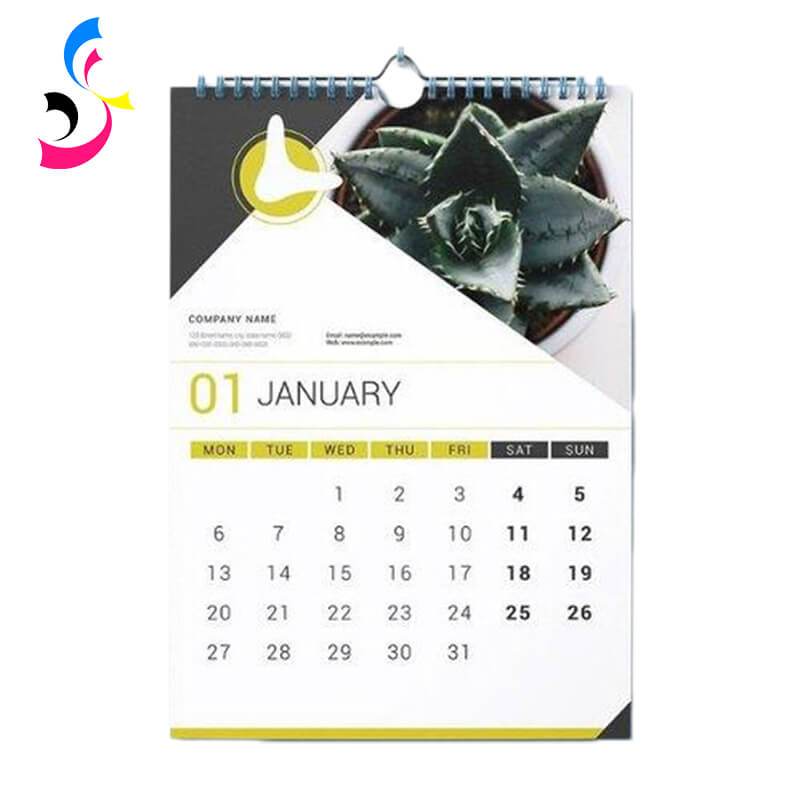
Wall Calendars |
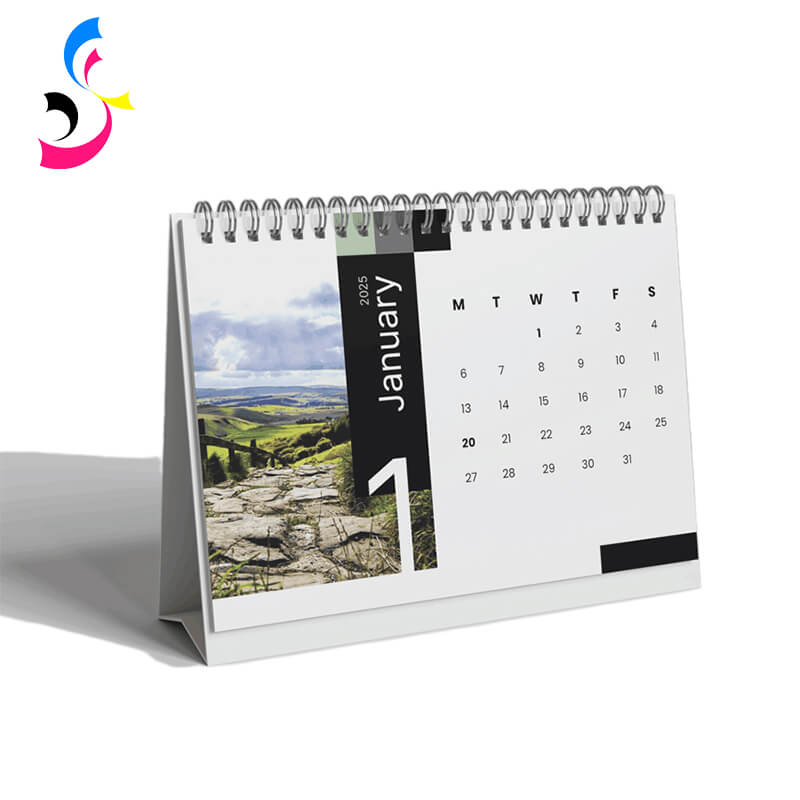
Desk Calendars |
Pocket Calendars |

-
Wall Calendars: A large format, perfect for displaying photos or artwork. Wall calendars typically come in 12-month layouts and can feature large images for each month.
-
Desk Calendars: Smaller and more compact, these are ideal for office environments. They can be designed as flip calendars or with a stand.
-
Pocket Calendars: A handy, portable option that’s easy to carry around. These are great for personal use or as promotional items.
-
Custom Sizes: You can also choose to print your calendar in a unique size that fits your branding or space requirements. Standard sizes include 8.5" x 11", A4, and A3.
Choosing the right size and format will depend on how you want to use the calendar and the available space for display.
4. Step 3: Choose the Right Paper Type
The paper you choose plays a big role in how your custom calendar looks and feels. Here are some common paper options for calendar printing:
-
Glossy Paper: This type of paper offers a shiny finish that makes colors pop. It’s perfect for high-quality images and adds a professional, vibrant feel to your calendar.
-
Matte Paper: Matte finishes provide a smooth, non-reflective surface. This option gives a more refined, elegant look to your calendar, and is perfect for more subtle designs.
-
Recycled Paper: If you're going for an eco-friendly design, choose recycled paper to reduce your environmental impact. Many customers appreciate sustainability in products.
-
Premium Paper Stock: For a more luxurious calendar, you can choose thicker paper with a higher weight. This creates a high-end feel and ensures durability.
The paper type you choose will depend on your design and intended use. If your calendar will be handled often, opt for a heavier, more durable stock.
5. Step 4: Design the Calendar Layout
-
Consistent Theme: Ensure all monthly pages follow a cohesive visual theme (e.g., product highlights, nature series, brand colors).
-
Photography: Choose high-resolution images that will print well. Consider using landscape or portrait formats, depending on your design vision.
-
Branding: For business calendars, make sure your logo, brand colors, and other elements are prominently featured throughout the calendar.
-
Personalized Dates: Add special dates that are relevant to your audience or personal connections, such as birthdays, anniversaries, or holidays.
-
Typography: Choose fonts that are easy to read and fit with your overall theme. Keep the text minimal and focused on the key dates.
-
Layout Structure: Ensure your calendar has a clear and user-friendly layout. Decide whether to use a grid layout with the days of the month or a more artistic layout.
A great design makes your calendar visually appealing and enhances its functionality. Consider your audience when designing to ensure that it’s both attractive and practical.
6. Step 5: Printing Specifications and Considerations
-
Color Mode: Design files must be in CMYK, not RGB, for accurate color reproduction on press.
-
Bleed & Safe Zone: Include a 3mm bleed area around all edges where background color or images extend. Keep all critical text and elements well inside a safe margin to avoid being trimmed off.
-
File Format: Supply print-ready files in high-quality PDF/X format with fonts embedded or outlined.
-
Binding Options: Choose from various binding options, such as spiral binding, saddle stitching, or wire-o binding, depending on the look and functionality you want.
-
Finishing Options: To add a special touch, you can choose additional finishes like embossing, foil stamping, or spot UV coating. These options can elevate the look of your calendar and make it stand out.
-
Proofing: Always request a proof before printing your entire order. This ensures that the design, colors, and details are exactly as you want them.
-
Quantity: Consider the number of calendars you need. If you’re printing for business purposes, ordering in bulk may result in a lower per-unit cost.
Be mindful of these printing specifications to ensure that your calendar turns out exactly as you envision.
7. Step 6: Choose a Reliable Printer for Custom Calendar Printing
When it comes to printing your custom calendar, choosing the right printer is key to ensuring high-quality results that meet your expectations. At Sese Printing, we specialize in delivering top-notch printing services, tailored to your specific needs. Here’s how to choose a reliable printer for your custom calendar project:
Why Choose Sese Printing for Your Custom Calendar Needs?
-
Expertise and Experience: With years of experience in custom printing, Sese Printing understands the intricacies of calendar printing. Our team has the know-how to bring your vision to life, from design to final print, ensuring a smooth process and exceptional results.
-
Comprehensive Customization Options: We offer a wide range of customization options, including different paper types, finishes, binding styles, and special treatments like embossing, foil stamping, and spot UV coating. Whether you need a glossy, vibrant finish or a matte, refined look, Sese Printing has you covered.
-
High-Quality Printing Standards: We use state-of-the-art printing technology and premium materials to ensure that your calendars are vibrant, crisp, and durable. Our attention to detail ensures that every page is printed with precision and accuracy.
-
Fast Turnaround and Timely Delivery: At Sese Printing, we understand the importance of deadlines. We offer quick turnaround times, ensuring your custom calendars are delivered on schedule. We work with you to make sure your project is completed and shipped on time, whether you're preparing for a personal gift or a corporate giveaway.
-
Eco-Friendly Options: For those who are environmentally conscious, we offer eco-friendly printing options, such as recycled paper and sustainable ink. You can create your custom calendars with peace of mind, knowing that you're making an environmentally responsible choice.
-
Customer-Focused Service: Our team is dedicated to providing excellent customer service every step of the way. Whether you're looking for guidance on design or need assistance with choosing the best paper for your project, we're here to help. We offer personalized support to ensure that your calendar printing experience is stress-free.
How to Choose the Right Printer for Your Calendar
-
Range of Services: Ensure the printer offers all the customization options you need, including paper types, finishes, and binding styles. Sese Printing provides a variety of options to help you create the perfect calendar.
-
Quality of Work: Look for a printer that delivers consistent, high-quality results. Check their portfolio for examples of previous calendar projects to see the print quality and finishing techniques.
-
Reputation and Reviews: Research the company’s reputation by reading customer reviews and testimonials. Sese Printing has a strong track record of delivering outstanding custom calendars for individuals and businesses alike.
-
Pricing and Discounts: While price is important, don’t compromise on quality for the sake of savings. Choose a printer that offers competitive pricing without sacrificing print quality. We offer cost-effective solutions and bulk discounts for larger orders at Sese Printing.
-
Customer Support: Ensure that the printer you choose provides excellent customer service. At Sese Printing, we offer personalized support throughout the proofing, and printing process, making sure your custom calendar meets your expectations.
8. Step 7: Placing the Order and Delivery
Once you've finalized the design and chosen a printer, it's time to place your order. Be sure to:
-
Submit Final Files: Ensure your design files are ready for printing in the correct format (PDF, TIFF, etc.).
-
Confirm Details: Double-check the quantities, delivery address, and deadlines with the printer.
-
Discuss Delivery: Make sure you understand the shipping and delivery timelines so that you receive your custom calendars on time.
This is the final step before your calendars are printed and delivered to you!
9. Conclusion
Creating a custom calendar is a rewarding process that lets you bring your vision to life, whether it’s for personal or business purposes.
For a seamless journey from concept to a calendar you’ll be proud of, partner with a specialist who understands this process inside and out. At sese printing, we combine state-of-the-art printing technology with expert craftsmanship to bring your custom calendar ideas to life. We guide you through every decision—format, paper, finishing, and more—ensuring a result that is not just a calendar, but a lasting impression. Let sese printing be your trusted partner in creating a timeless piece that works for you, all year long.
Ready to create your own custom calendar? Contact us today, and let us help you make your vision a reality!
 How to Print Custom Designs on Hardcover Notebooks with Professional Quality
 You May Also Like



 Tel
Tel
 Email
Email
 Address
702 No. 21 Huizhong Road, Shiqiao St, Panyu District. Guangzhou city, Guangdong Province. China

Joy
 Whatsapp