



 Home
HomeWhat You Need to Prepare Before Contacting SESE Printing?
 Apr 01,2026

 SESE
SESE
What You Need to Prepare Before Contacting SESE Printing?
When it comes to printing a custom book, whether it’s for a special edition, a personal project, or a limited run, preparation is key to ensuring that the process runs smoothly. Having all the necessary details ready before reaching out to a printing company like SESE Printing will help streamline the process and ensure you get an accurate quote that aligns with your vision. Here's what you need to prepare before contacting SESE Printing for your custom book printing project:
1. Define Your Book Specifications
Book Size: Choose the dimensions of your book. Common sizes include 6x9 inches, 8x10 inches, or custom sizes. The size you select will affect the overall look and feel of the book, as well as the printing cost.
Page Count: Determine the total number of pages in your book. Longer books will require more paper, which increases the overall cost.
Binding Type: Decide on the type of binding you want for your book. Common options include:
-
Hardcover (Case Binding): Durable and premium, perfect for special editions or collector’s items.
-
Softcover (Perfect Binding): More cost-effective, often used for novels or non-fiction books.
-
Other Binding Options: Explore other options such as spiral binding or saddle stitching if those suit your project needs.
Paper Type: Select the type of paper for both the interior and cover. Whether you choose standard paper, premium options, or eco-friendly choices, the type of paper will influence the texture, color, and cost of your book.
2. Choose Your Custom Features
Cover Customization
|
|
|
|
|
|
Foil Stamping |
Embossing |
Debossing |
Spot UV Coating |
Holographic Foiling |
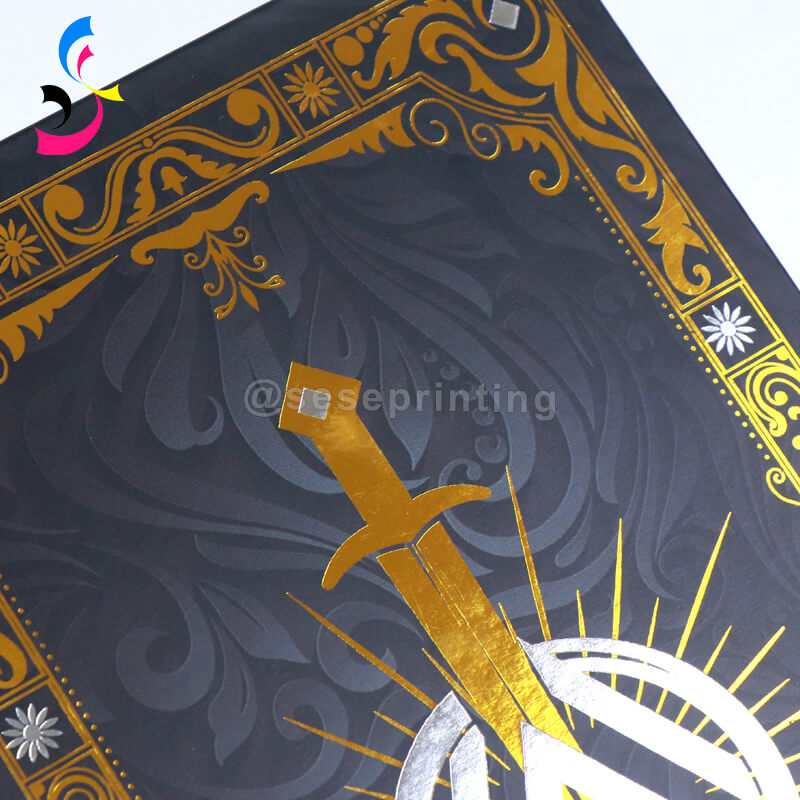
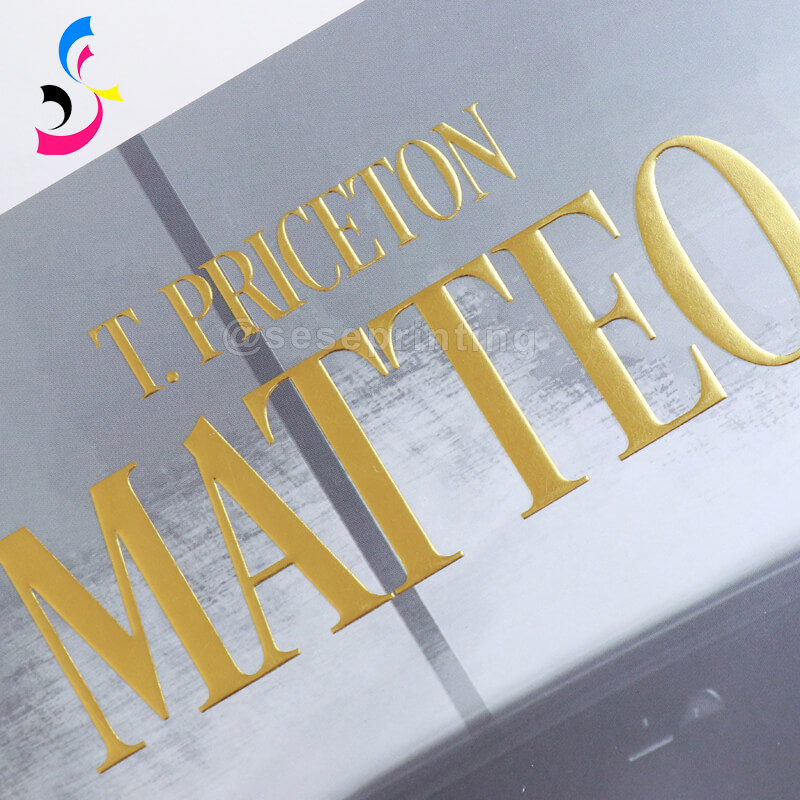
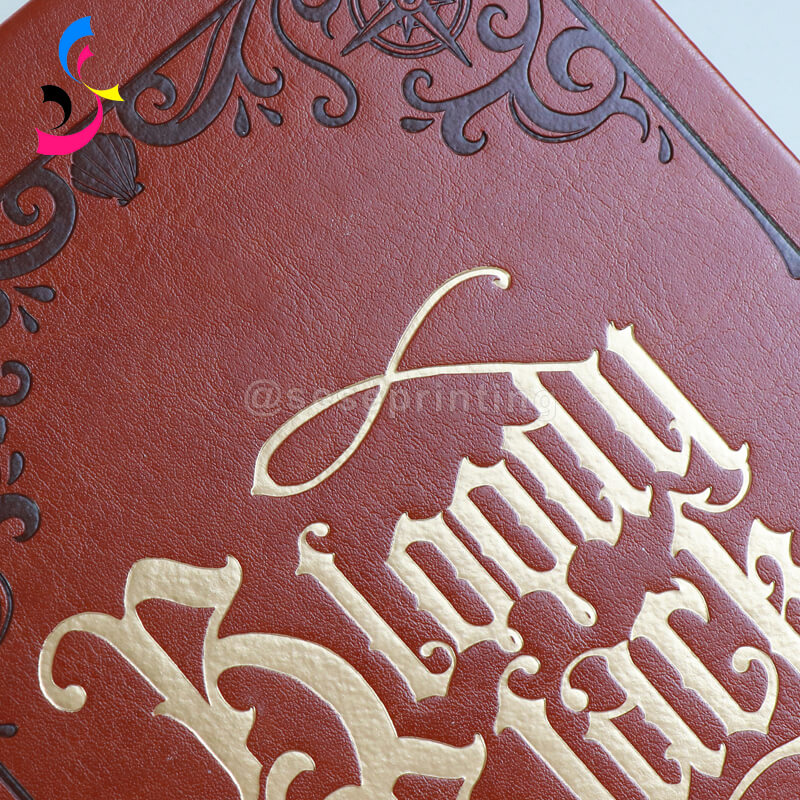
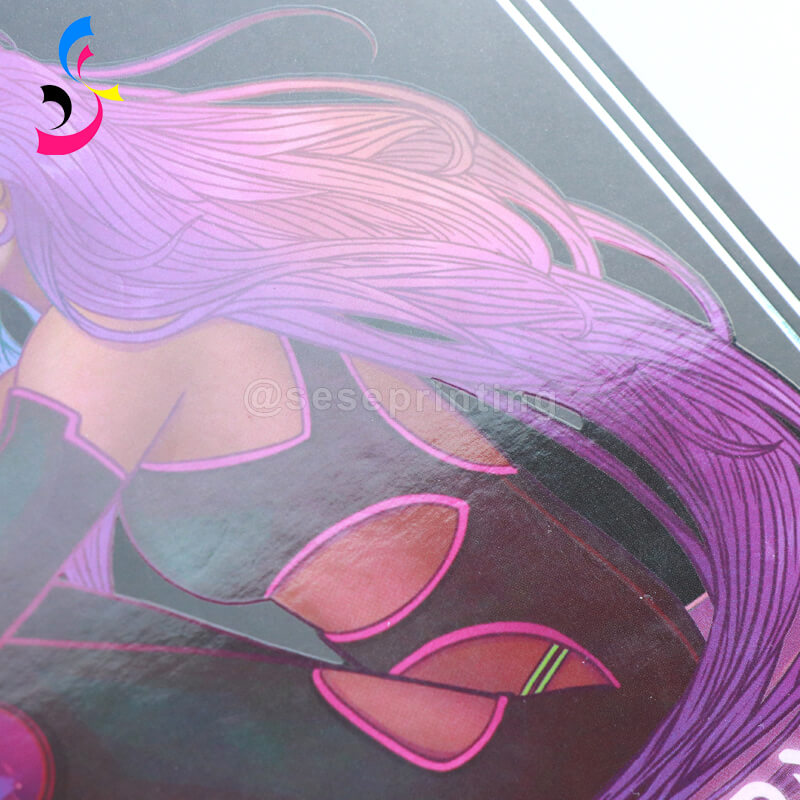
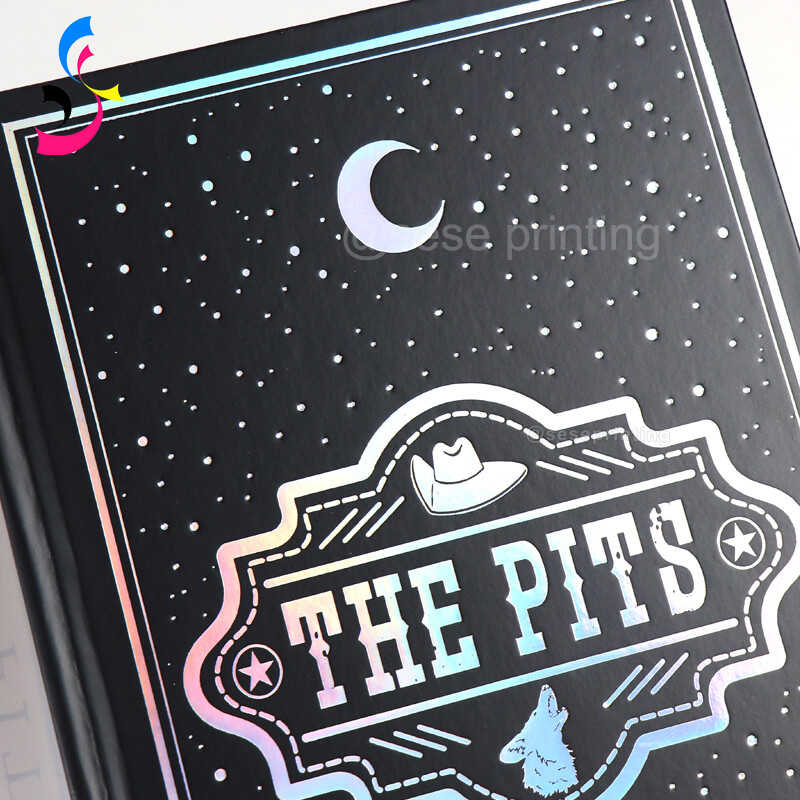
-
Foil Stamping: This technique uses metallic foil (in gold, silver, or other colors) to add shiny accents to your cover, typically for titles, logos, or decorative elements. Foil stamping gives your book a luxurious, high-end feel.
-
Embossing/Debossing: Embossing creates a raised design on your cover, while debossing results in an indented design. These techniques add texture and depth to the cover, making it more visually interesting and tactile.
-
Spot UV Coating: Spot UV is a glossy coating applied to specific areas of the cover, such as the title or logo. It contrasts with the matte finish of the rest of the cover, adding a sleek, modern look and increasing the visual impact.
-
Holographic Foiling: This is a special type of foil that gives off a multicolored, iridescent shine, perfect for creating a futuristic, eye-catching cover for special editions or collector’s books.
Special Binding Options
|
|
|
|
|
Case Bound |
Perfect Binding |
Lay-Flat Binding |
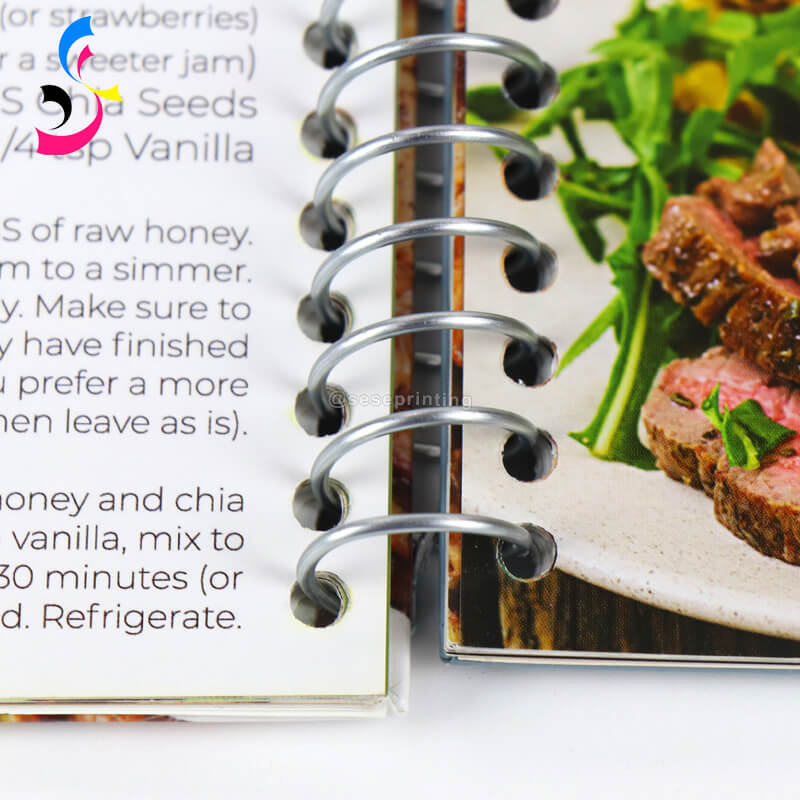
Spiral Binding |
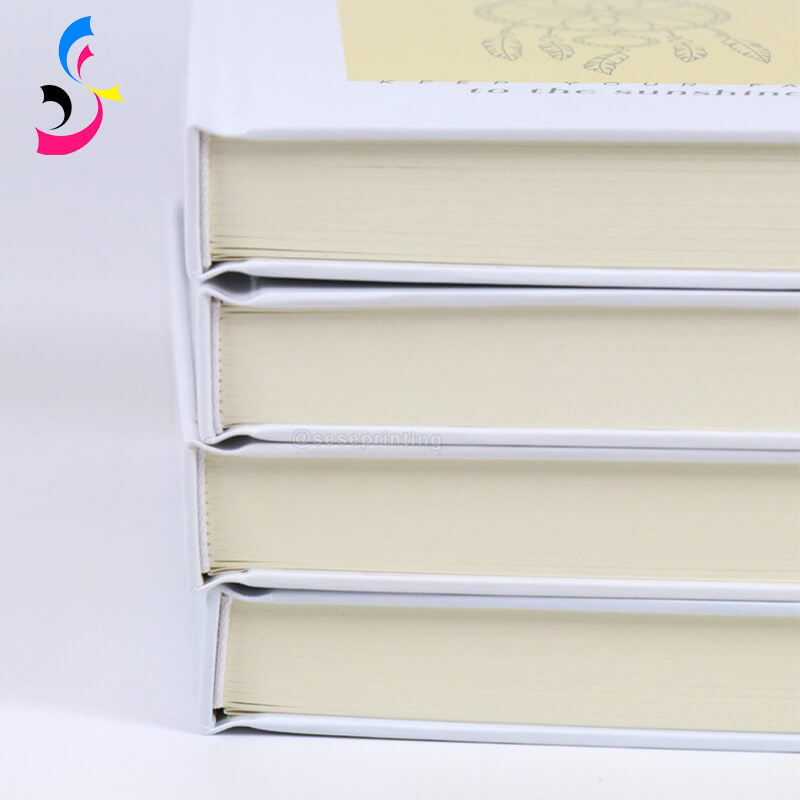
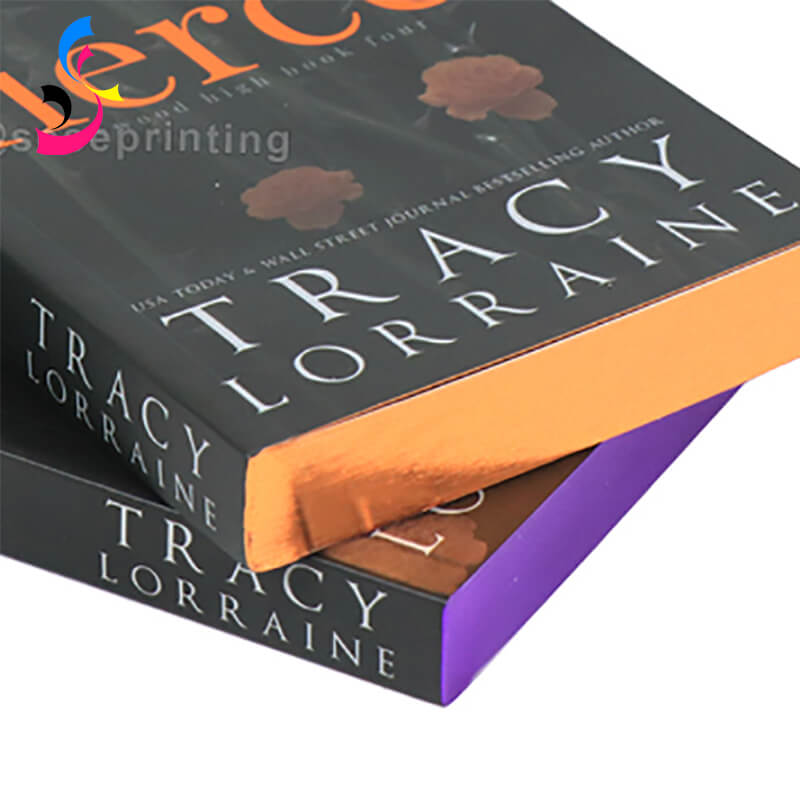
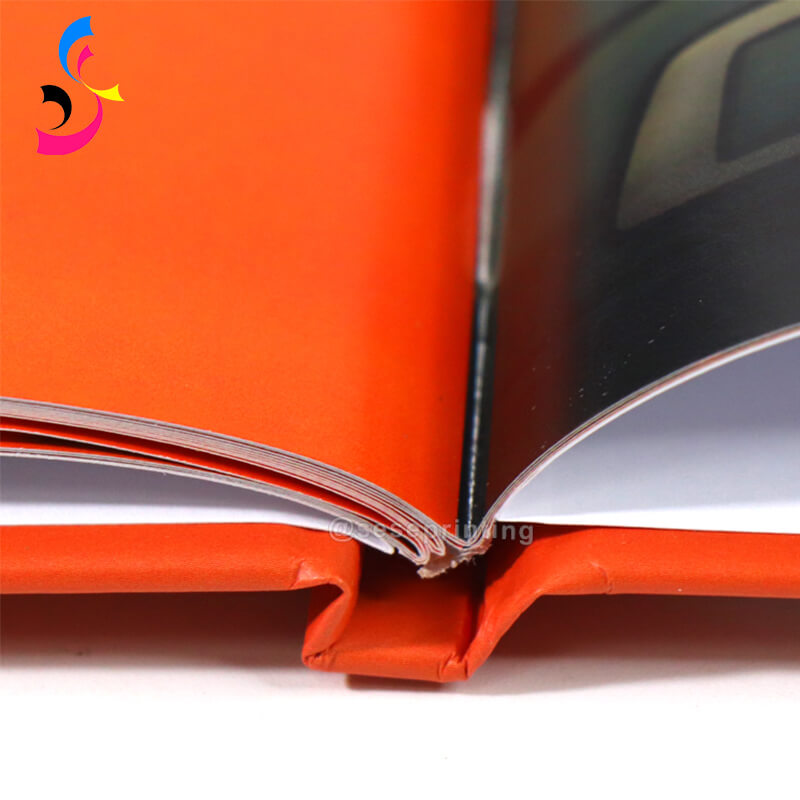
-
Hardcover (Case Binding): Ideal for high-end projects or special editions, hardcover books are durable and give a professional, polished appearance. They are more expensive than softcover options but add significant value for collector’s items.
-
Softcover (Perfect Binding): A more economical option, perfect binding is commonly used for paperback books. It's ideal for novels, guides, or text-heavy publications. While more affordable, it still offers a clean, modern look.
-
Lay-Flat Binding: This binding type allows the book to lay flat when opened, which is perfect for photo books, cookbooks, or any book with large images or illustrations. It makes reading more comfortable and is often used in premium book formats.
-
Spiral or Wire-O Binding: For books that need to open fully, such as planners, journals, or workbooks, spiral or wire-O binding allows for flexibility and ease of use.
Interactive or Unique Features
If your book is intended to be more than just a traditional printed work, consider adding interactive or unique elements to engage your readers. These features are ideal for art books, children’s books, or any project where creativity is key:
-
Pop-up Pages: Pop-up elements make books more engaging, especially for children’s books or any work that seeks to incorporate an element of surprise. Each page can feature a different 3D structure, making the book interactive.
-
Die-Cut Pages: Die-cutting involves cutting out specific shapes or designs in the pages, creating unique patterns or spaces in the book. This is often used for artistic books or those requiring a thematic approach, such as art books, invitations, or holiday-themed books.
-
Fold-Out Pages: Large images or illustrations may need to be presented on fold-out pages, which add a creative element and provide a larger surface for high-impact visuals.
-
QR Codes or Augmented Reality (AR): If you want to incorporate digital elements, consider adding QR codes or AR markers that link to online content, such as videos, websites, or interactive media. This feature can transform your book into an immersive experience for readers.
Premium Packaging
-
Custom Slipcases: A custom slipcase or box set can be added for limited edition books, providing protection and a high-end presentation. This is often used for collector’s editions or high-value books.
-
Box Sets: If you are publishing a series of books or multiple volumes, consider offering a custom-designed box set that holds all the volumes together, often with matching branding and design.
-
Foil-Stamped or Embossed Dust Jackets: If your book features a dust jacket, customizing it with foil stamping, embossing, or a matte finish can give your book a more refined look.
3. Prepare Your Artwork and Design Files
Preparing your artwork and design files is one of the most crucial steps in the custom book printing process. The quality of these files directly impacts the final look and feel of your book. Ensuring your files are properly formatted and meet the printer's specifications will save you time, prevent errors, and ensure a high-quality final product. Here's a step-by-step guide on how to prepare your files before submitting them to SESE Printing or any other printing partner:
File Formats
-
PDF: The most common and preferred file format for both covers and interior layouts. PDF files ensure that fonts, images, and formatting are preserved correctly when printing.
-
TIFF or JPEG: These formats are acceptable for high-quality images, especially for cover artwork or specific interior illustrations. However, they should always be high resolution (at least 300 DPI) to ensure sharp prints.
-
InDesign or Illustrator Files: If you’re working with a designer who’s using Adobe InDesign or Illustrator, these files can be submitted as well, but they should be properly packaged and include all fonts and linked images.
Resolution and DPI (Dots Per Inch)
-
Cover Design: The resolution should be 300 DPI (dots per inch) for the cover artwork. This ensures that images, text, and any other design elements are clear and high quality when printed.
-
Interior Pages: Similarly, interior images or illustrations should be at least 300 DPI to avoid pixelation or blurriness.
-
File Size: High-resolution files (300 DPI) will naturally result in larger file sizes, which is normal for professional-grade printing. Just make sure the file isn’t too large to upload or send.
Color Mode: CMYK vs. RGB
-
CMYK (Cyan, Magenta, Yellow, Black): This is the standard color mode for print. SESE Printing and other professional printers require files to be in CMYK to ensure the colors match what will be printed on paper. Make sure your design files are converted to this mode before submission.
-
RGB (Red, Green, Blue): This color mode is used for screens (digital displays). RGB should only be used for digital designs, not for printing. If you provide an RGB file, the printer will have to convert it to CMYK, which can result in color discrepancies.
Bleed, Margins, and Safety Zones
-
Bleed: This refers to the extra area around your design that extends beyond the final trim size. Standard bleed for most print books is 0.125 inches (1/8 inch) on all sides. Bleed is important for ensuring there are no white edges when the book is trimmed.
-
Margins: The margins are the spaces between your content (such as text and images) and the edges of the page. Be sure to leave at least 0.5 inches for the outer margins. For the inner margin (gutter), ensure it’s wide enough to account for binding, usually about 0.75 inches.
-
Safety Zone: Avoid placing critical design elements (text, logos, or images) too close to the edge or near the gutter, as they could get cut off during trimming. The safety zone is typically 0.25–0.5 inches from the trim line.
Image and Graphics Preparation
-
High-Resolution Images: Use images that are at least 300 DPI at the size they will appear in the book. Low-resolution images (under 150 DPI) will appear pixelated or blurry when printed.
-
Color Profiles: For images, make sure they are saved with an appropriate color profile, such as Adobe RGB (1998) or ISO Coated v2 for CMYK images. This ensures color accuracy when printing.
-
Image Mode: Ensure images are in CMYK mode for printing. If your images are in RGB (typically used for web), they may not print with the same vibrancy or accuracy.
File Organization and Delivery
-
Separate Files: If your book has multiple components (e.g., cover, interior pages), make sure each part is clearly labeled and organized into separate files.
-
Packaging: If submitting InDesign or Illustrator files, be sure to package them with all the necessary linked images, fonts, and other assets. For PDFs, make sure everything is embedded and properly set up.
-
File Naming: Use clear and concise file names, such as “Book_Title_Interior_Pages.pdf” and “Book_Title_Cover.pdf,” to avoid confusion.
4. Decide on Quantity, Set a Budget, and Timeline
Print Quantity
-
Determining the quantity of books you want to print is a critical decision that affects both the cost per unit and the overall project budget. Many printing companies, including SESE Printing, have a Minimum Order Quantity (MOQ), often starting at 300 copies for custom book printing. Here's why quantity matters:
-
Economies of Scale: The more copies you print, the lower the cost per book. This is because the setup costs (such as preparing printing plates, equipment, and machinery) are spread across a larger number of books. Therefore, a larger print run will usually result in a lower price per unit.
-
Smaller Print Runs: If you only need a few copies, printing fewer than the MOQ may lead to higher costs per book. For instance, printing 100 or 200 copies instead of 300 can result in a much higher unit price because the setup costs are not spread over as many copies.
-
Print Runs Beyond MOQ: If you foresee the need for additional copies later, consider increasing your initial print run. You can usually save on unit costs by ordering more upfront, but be mindful of storage costs and potential excess inventory if sales do not meet expectations.
-
Custom Quantities: For projects with specific needs, such as limited edition books, you may want to discuss lower quantity options with SESE Printing or your printer of choice. However, bear in mind that quantities below the MOQ might not be as cost-effective.
Set a Budget
Define your budget, considering not only the base printing costs but also any additional features or customizations you want to include. Knowing your budget upfront will help you make informed decisions.
Timeline
Set a timeline for your project. Custom book printing can take several weeks depending on the complexity of the design and custom features. Be sure to communicate any specific deadlines you have, especially if the books need to be delivered by a particular date.
5. Clarify Shipping and Delivery Preferences
Choose the Right Shipping Method
-
Air Freight: For faster delivery, air freight is the most common option. It can take 3–7 business days for delivery, depending on the origin and destination. While faster, air freight is generally more expensive than sea freight. This is ideal if you need your books quickly and can afford the higher cost.
-
Sea Freight: If you're looking to ship larger quantities and can afford a longer delivery time, sea freight is a more cost-effective option. Delivery times can range from 2–6 weeks depending on the shipping route and destination. Sea freight is ideal for bulk shipments and larger print runs but comes with longer wait times.
-
Express Courier Services: Services like DHL, FedEx, or UPS offer express international delivery and are commonly used for smaller quantities or urgent orders. Delivery times typically range from 3–7 business days depending on the destination. This service is often more expensive but provides a reliable and trackable option.
Estimate Shipping Costs
-
Weight and Dimensions: The weight of your order, especially if you’re printing hardcover books or special packaging, will impact shipping costs. The larger the print run and the heavier the books, the more expensive shipping will be.
-
Destination Country: Shipping costs can vary widely depending on the country you are shipping to. Countries with efficient postal systems or closer proximity to your printing location will typically incur lower shipping costs than more remote or less accessible regions.
-
Custom Packaging: If your books require custom packaging (e.g., box sets, slipcases, or protective wrapping), this will add to the overall weight and size of the shipment, potentially increasing shipping costs.
-
Shipping Insurance: International shipments are more vulnerable to damage or loss, so you may want to purchase shipping insurance to protect your investment. Many international couriers offer insurance, but you may need to factor this cost into your budget.
Shipping Timeline and Delivery Timeframes
-
Production and Shipping Timeframe: Be sure to confirm the expected time for production and shipping. After the books are printed and ready for shipment, international orders may require additional time for customs clearance and transport.
-
Customs and Delays: Customs clearance can delay shipments by several days to weeks, depending on the country. It’s crucial to account for potential customs processing times, especially if the shipment is large or contains special materials (e.g., metallic foils, special inks, etc.).
-
Tracking and Monitoring: Ensure that tracking information is provided for your international shipment. With major couriers like FedEx, DHL, or UPS, you can monitor your shipment in real-time to track any potential delays or issues during transit.
6. Request a Sample or Proof
Before committing to a full print run, it's always a good idea to request a physical sample or proof of your book. This allows you to review the quality of the printing, the paper, the colors, and the overall feel of the book.
Physical Proof: Request a printed proof to check that everything meets your expectations before starting production. This is especially important for books with custom features like embossing, foil stamping, or special finishes.
Requesting a proof ensures you won’t be surprised by the final product and gives you an opportunity to make any last-minute adjustments before the full print run.
Conclusion
Preparing your custom book printing project before contacting SESE Printing will help ensure a smooth and efficient process. By defining your book specifications, choosing your custom features, preparing your artwork, and clarifying your quantity, budget, and timeline, you'll be in the best position to receive an accurate quote and a high-quality final product. Don't forget to specify your shipping preferences and request a proof to avoid any surprises. With proper preparation, you’ll be ready to bring your creative vision to life with SESE Printing!
 Edge Painting vs. Gilded Edges: Which Finishing Is Right for Your Luxury Edition?
 You May Also Like


 Tel
Tel
 Email
Email
 Address
702 No. 21 Huizhong Road, Shiqiao St, Panyu District. Guangzhou city, Guangdong Province. China

Joy
 Whatsapp